EFILE mandatory e-filing checker (tax preparers)
Short answer
EFILE is the CRA service paid tax preparers use to send clients’ returns. If you prepare more than 5 returns of one type for a fee in a calendar year, you must e-file them. Each paper return then risks a penalty: $25 for a T1 or T3, $100 for a T2.
- What it is
- The CRA’s electronic filing channel for approved tax preparers and discounters, plus the rule that makes it mandatory above 5 paid returns.
- Who it helps
- Accountants, bookkeepers and tax clinics that charge to prepare returns. Individuals filing their own return use NETFILE software instead.
- When to use it, and the catch
- When you start charging for returns, or plan the season. The catch: the count is per return type per calendar year, and paper-filed ReFILE amendments count as paper returns.
Example: A bookkeeper prepares 30 T1 returns for a fee and mails 10 of them. More than 5 means all must be e-filed, so the 10 paper returns risk 10 × $25 = $250.
Mandatory e-filing checker
Runs in your browser. Nothing is saved or sent.
Will your net worth last?
How much you can spend monthly
A plain-language check, not legal advice. The CRA decides penalties.
EFILE dates and rules for 2026
| Item | What the CRA says |
|---|---|
| EFILE and ReFILE window | Monday, February 23, 2026, 8:30 a.m. ET to Friday, January 29, 2027 |
| Initial returns you can EFILE | 2018 to 2025 |
| Amended returns (ReFILE) | 2022 to 2025 |
| Mandatory e-filing | More than 5 paid T1, T2 or T3 returns in a calendar year (since January 1, 2024) |
| Penalty per paper return | $25 (T1 or T3), $100 (T2) |
| Form T183 | Client signs before you transmit; both keep a copy for 6 years |
| Apply for EFILE | Free; suitability screening can take up to 30 business days |
How this is calculated / assumptions
- Rule: a tax preparer (an individual, corporation or partnership) who accepts payment to prepare more than 5 T1, more than 5 T2 or more than 5 T3 returns in a calendar year must file those returns electronically (Income Tax Act s.150.1(2.3)).
- Penalty (s.162(7.3)): $25 for each individual (T1) or trust (T3) return and $100 for each corporation return not filed electronically as required. The CRA “may” charge it; the tool shows the maximum.
- Not counted: returns you prepare for free, and employees preparing returns as part of their job. Returns the CRA excludes from electronic filing, and preparers refused or suspended from EFILE, are exempt.
- A ReFILE amendment printed and mailed counts as a paper-filed return.
Sources
Sources (checked 29 September 2026): CRA’s Mandatory electronic filing for tax preparers; Income Tax Act, section 162 (current to 2026-09-21); CRA’s EFILE for electronic filers.
FAQ
- Who has to use EFILE?
- Anyone who accepts payment to prepare more than 5 T1, more than 5 T2 or more than 5 T3 returns in a calendar year must file those returns electronically. Individuals filing their own return use NETFILE software instead.
- What is the penalty for paper filing as a tax preparer?
- $25 for each T1 or T3 return and $100 for each T2 return that should have been filed electronically.
- When is EFILE open for 2026?
- From Monday, February 23, 2026 at 8:30 a.m. Eastern until Friday, January 29, 2027, for initial 2018 to 2025 returns and ReFILE amendments for 2022 to 2025.
Full guide
This guide summarises CRA’s EFILE for electronic filers hub, the Overview, Apply for EFILE, Form T183 guidance, and mandatory electronic filing for tax preparers. Related: NETFILE, Auto-fill my return, ReFILE, Represent a Client, tax filing deadlines, CRA My Account, and notice of assessment.
What EFILE is
CRA’s EFILE hub and Overview: EFILE is an automated service that lets approved tax preparation service providers and discounters in Canada electronically file their clients’ current and first seven prior years’ income tax and benefit return information to the CRA directly from EFILE-certified tax preparation software.
Taxpayers may take slips and supporting documents to a registered preparer who prepares the return and sends it electronically using EFILE. CRA states access to the EFILE service is limited solely to electronic filing of a return of income.
Filing window (CRA year labels)
On the EFILE hub, EFILE and ReFILE transmission is open from Monday, February 23, 2026, at 8:30 a.m. (Eastern Time) until Friday, January 29, 2027. In that window, preparers can file clients’ initial T1 returns for tax years 2018 through 2025 using EFILE, and amended T1 returns for 2022–2025 using ReFILE. CRA also publishes a parallel T3 EFILE window for the same dates—confirm live hours and any outage notice on Canada.ca.
Note the published start time: CRA’s consumer NETFILE hub opens at 6:00 a.m. ET the same day, while EFILE lists 8:30 a.m. ET. The transmission window is not the statutory due date for the return—see tax filing deadlines.
Who uses EFILE (and who does not)
EFILE is the channel for authorized electronic filers—firms, organizations, or individuals who provide tax preparation services and pass CRA suitability screening—not the self-serve button most individuals use in consumer software. Individuals who file their own return typically use NETFILE with NETFILE-certified software, or hire a preparer who transmits through EFILE.
CRA’s EFILE hub: to participate in the Community Volunteer Income Tax Program (CVITP), register as a volunteer first; if you will transmit returns by EFILE under CVITP, you must also apply for an EFILE number. Do not register for EFILE only to file your own T2 Corporation return—use Corporation Internet Filing instead.
As of January 1, 2024, CRA’s mandatory electronic filing for tax preparers page (details 2024-01-03): if you accept payment to prepare more than 5 T1, more than 5 T2, or more than 5 T3 returns in a calendar year, you must file those returns electronically. An employee who prepares returns only as part of employment duties is not a “tax preparer” under that rule. Non-compliance can attract a penalty of $25 for each T1 or T3 paper-filed return and $100 for each T2 paper-filed return (those penalty amounts are from the 2024-01-03 CRA FAQ).
What clients should expect when a preparer files
At a CRA high level, a typical client path looks like this:
- Documents — you bring tax slips and supporting records to a registered preparer or discounter. The preparer prepares the return in EFILE-certified software.
- Form T183 — before transmission, CRA requires Form T183, Information Return for Electronic Filing of an Individual’s Income Tax and Benefit Return, completed and signed by the taxpayer (or the person required to file). CRA’s Form T183 page (details 2025-10-22): the form is year-specific; entries must match the electronic return; both preparer and client keep a copy for at least six years after electronic filing; do not mail T183 unless CRA asks.
- Transmit — the preparer sends the return through EFILE using their EFILE number and password when the transmission window is open. Instant acknowledgements of acceptance or rejection come through that professional channel.
- Confirmation and NOA — after a successful send, watch for CRA processing and your notice of assessment in CRA My Account or by mail.
If the return is not accepted as first transmitted and changes needed for retransmission alter the refund or balance owing by more than $300, CRA’s T183 guidance says a new Form T183 must be completed and signed.
EFILE vs NETFILE vs Auto-fill My Return
Three paths people often confuse—keep them separate:
- EFILE (this page) — professional / authorized-provider transmission of client returns from EFILE-certified software. The preparer (or discounter) holds EFILE credentials and sends on your behalf after T183.
- NETFILE — individual (self-serve) electronic send of a personal T1 from NETFILE-certified software directly to the CRA. You are the transmitter.
- Auto-fill my return (AFR) — imports CRA-held slips and related amounts into certified tax software. It does not transmit the return. Preparers and individuals may use Auto-fill inside software, then still need EFILE or NETFILE to send.
Related amend and account paths: ReFILE amends an assessed T1 electronically (preparers with EFILE-certified software; individuals with certified consumer software after a notice of assessment). After you have a CRA account, many post-file tasks live in My Account. Effective July 15, 2025, CRA’s EFILE hub states the Authorize a Representative service in EFILE is no longer available for representatives of individual clients; use Represent a Client instead.
Becoming an EFILE service provider (high level only)
CRA’s Apply for EFILE page (details 2026-03-02): any firm, organization, or individual who provides tax preparation services can apply online with the EFILE Registration Online form if they meet applicant requirements and pass suitability screening. Successful applicants receive an EFILE number and password, but access stays limited to account maintenance until suitability screening finishes—processing may take up to 30 business days. CRA encourages applying before December 31 so screening can finish before filing season. There is no fee for processing the application. Applicants who intend to file a minimal number of returns (or none) are not treated as providing tax preparation services and will be denied.
Electronic filing of T1 returns requires certified software—CRA’s label means the developer verified EFILE compatibility; CRA does not endorse any product. Yearly renewal is mandatory; the EFILE hub says renewal invitations go out toward the end of October. Account maintenance and transmission history are available after sign-in.
After filing: deadlines, My Account, and representation
Statutory due dates remain those on tax filing deadlines—EFILE opening day is not the return due date. Keep slips, the signed T183, and confirmation records. Use CRA My Account to track processing and download the notice of assessment. For ongoing online access to an individual’s account, authorize a representative through Represent a Client rather than the retired in-EFILE authorize flow.
Model tax cash flow on-device
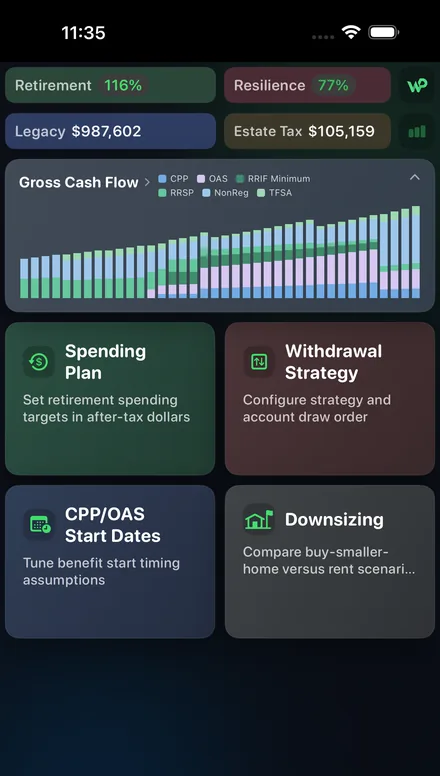
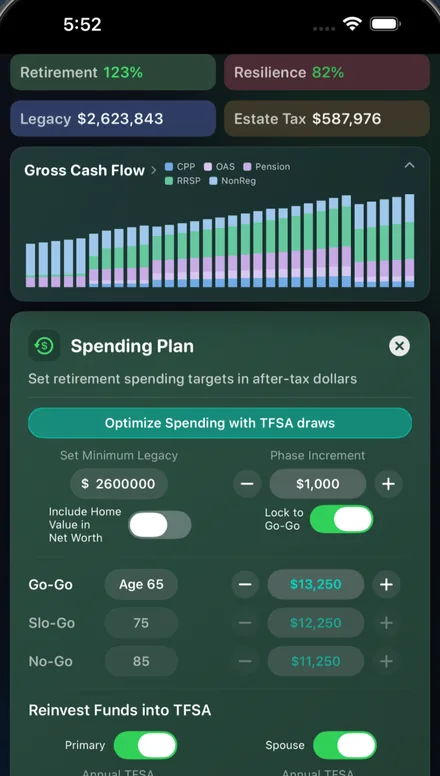
WisePlan Wealth is an on-device Canada+US retirement planner. After a preparer EFILes (or you NETFILE) and your notice of assessment settles, line up refunds, benefits, and contribution room beside the rest of your plan. Free to start. No account required—data stays on the device for privacy.
Source: Canada.ca, checked Oct 2026.
This is general information, not financial, tax, investment, legal, or accounting advice. EFILE, ReFILE, NETFILE, Auto-fill My Return, Represent a Client, Form T183, suitability screening, and mandatory electronic filing rules are administered by the CRA under published Canada.ca guidance and can change. Confirm current eligibility, transmission windows, exclusions, and obligations on Canada.ca or with a qualified professional. Page dated 4 September 2026.